
The Goals.
Fukurou Design System started as a personal design system project, but I want to build something closer to how design systems work in actual product teams: token-driven, accessible, component-based, documented, and connected to code.
I also wanted to test how AI could fit into that workflow – using Cursor and ChatGPT as part of the process. Could AI help me move faster, catch inconsistencies, and turn design decisions into working components? And where would I still need to slow down, review the output, and make the final call myself?
My setup was simple: Figma stayed as the source of truth, while Cursor connected to it through MCP. This allowed me to ask Cursor to inspect the design file, generate supporting files, and occasionally make direct edits in Figma based on the system direction I provided. After Cursor produced the audit report, I used ChatGPT to help organize the findings into a draft build plan, so I could move from inspection to prioritization faster.
Starting with Audit and Planning.
After setting up Figma MCP and connecting it with Cursor, I started by defining the goals and principles of the system. Before creating components, I needed to be clear about what Fukurou was meant to support: accessibility, token-driven decisions, scalability, reusable components, and a stronger connection between design and code.
Once those principles were clear, I used Cursor to inspect the existing Figma file. I asked it to audit the project and surface what was already there: components, styles, repeated patterns, inconsistencies, and gaps.
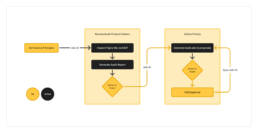
That audit gave me a clearer picture of what the design system needed. I then pulled the report into ChatGPT and used it to turn the findings into a practical build plan, starting with the foundations and high-priority components that would create the most value first.
A manual audit and planning process like this could easily take days, especially if I had to inspect every component, style, and pattern by hand. With AI, I was able to get an initial audit report and build plan in under 30 minutes.
Building Foundation
After the audit and planning phase, I moved into the foundation work: color, spacing, radius, typography, elevation, and tokens.
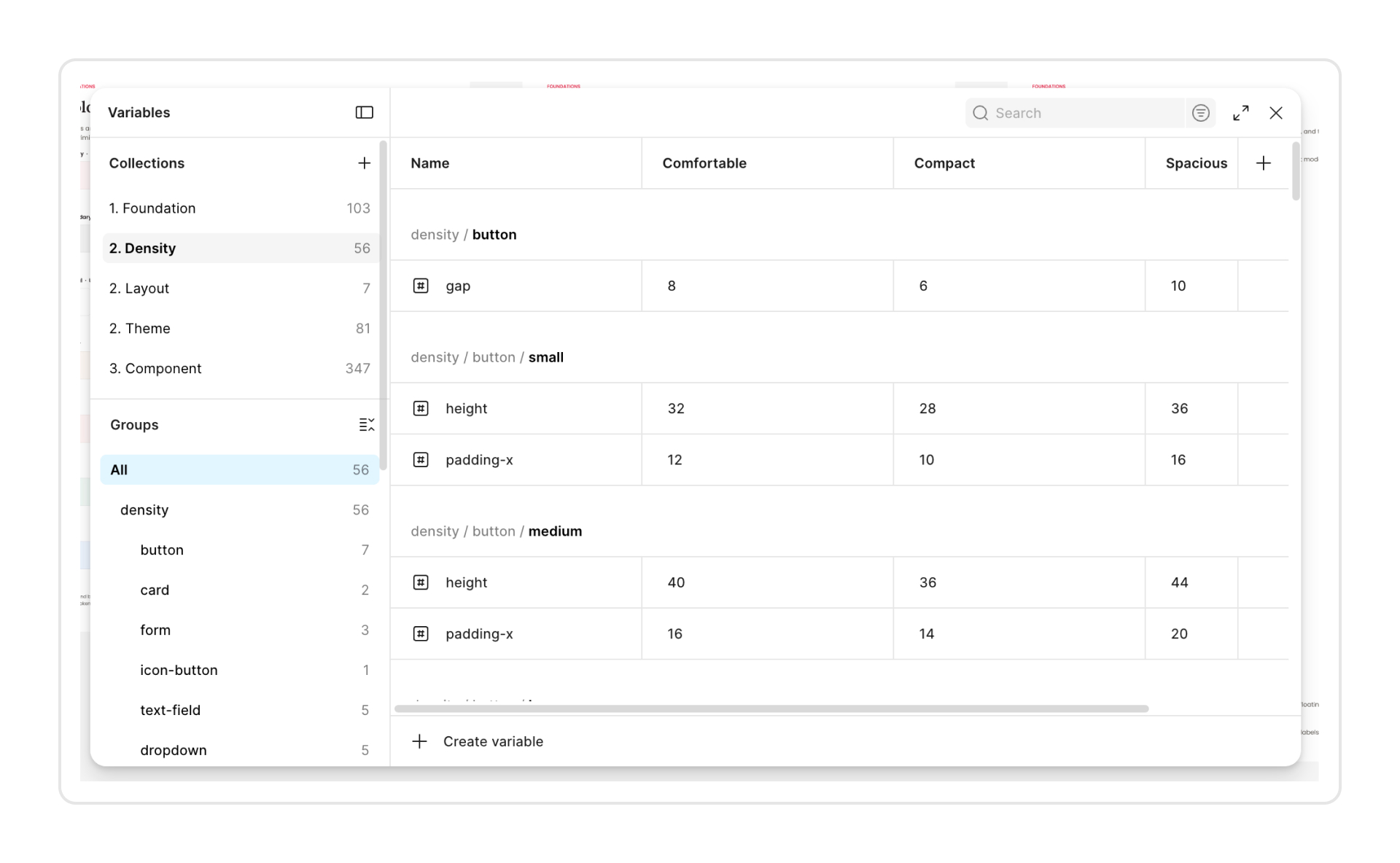
Cursor did a great job helping me create the token system around three levels, but I had to be specific about what I wanted. AI works best when you give it clear guardrails. For Fukurou, this was the structure I used:
- Primitive tokens — where the raw values live, such as color ramps, spacing values, radius, typography, elevation, and other base values.
E.g.--color-brand-primary-500=#D33F55;--spacing-16=16;--radius-8=8 - Semantic tokens — the second layer, where those raw values are given meaning in the interface, such as action, surface, text, border, and status.
E.g.--color-action-primary-default→--color-brand-primary-500 - Component tokens — where semantic tokens are applied to specific UI patterns, such as button backgrounds, input borders, snackbar surfaces, and pagination states.
E.g.--color-button-action-background-default→--color-action-primary-default
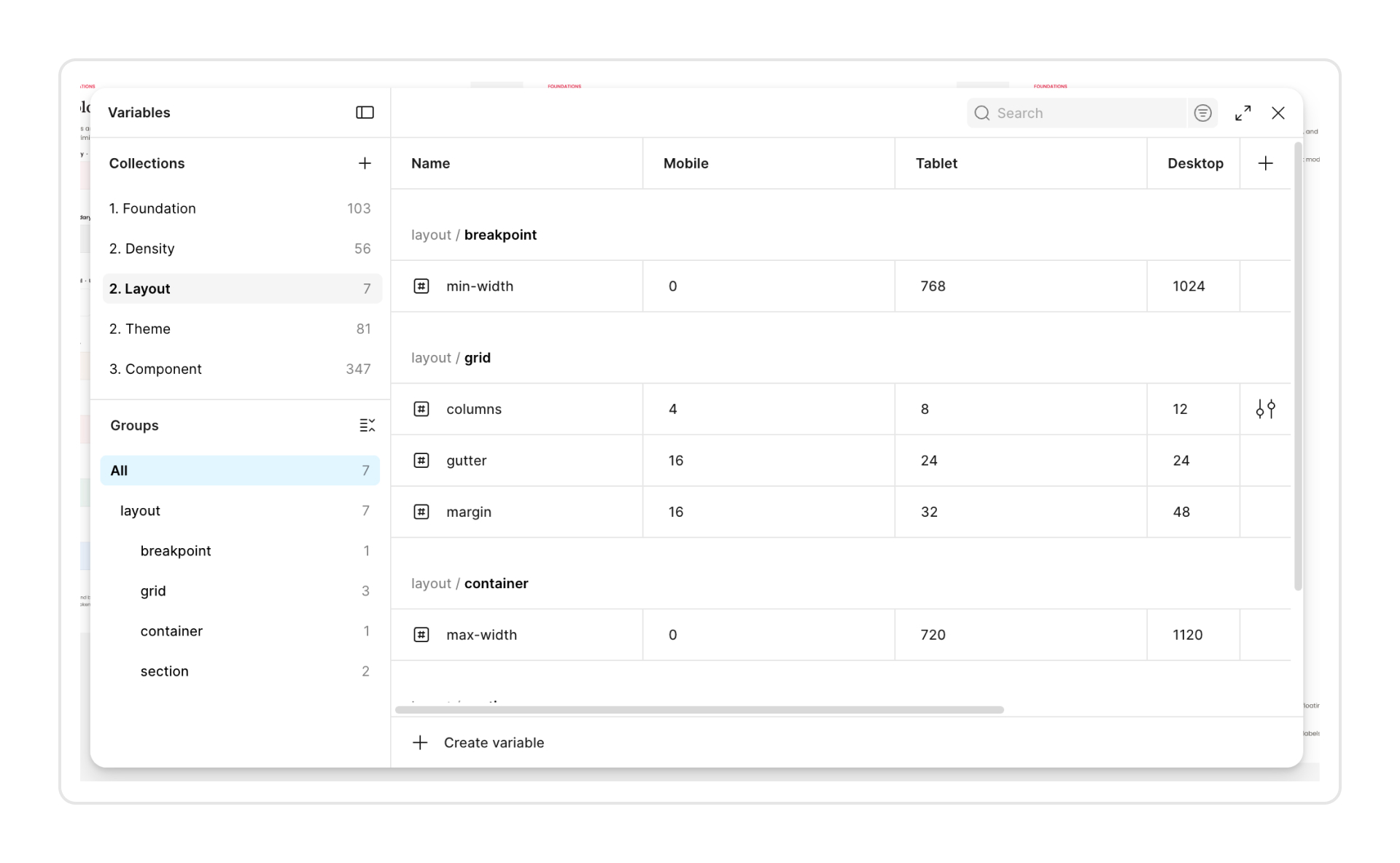
The system also needed to account for light and dark themes, density settings, and responsive layouts.
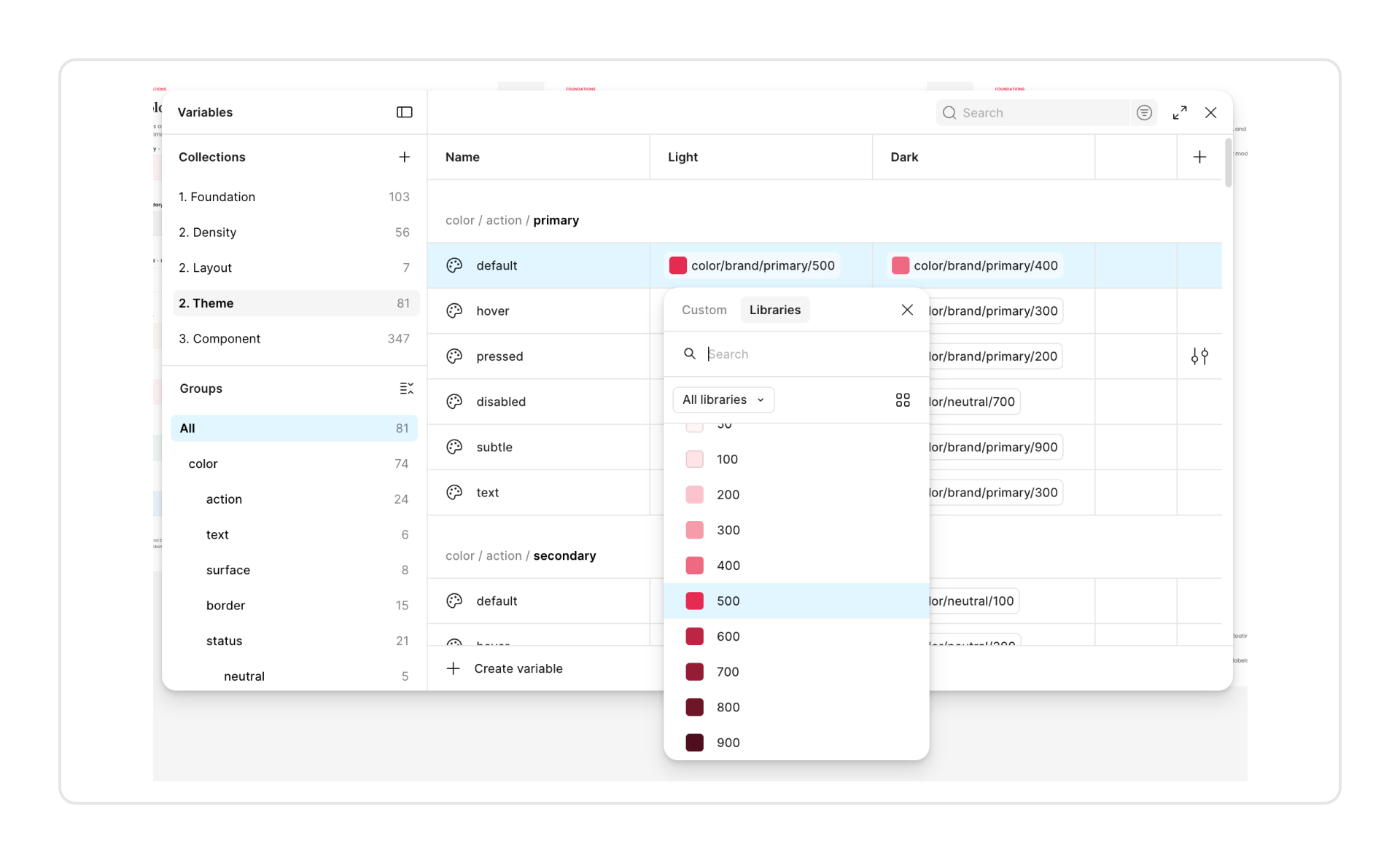
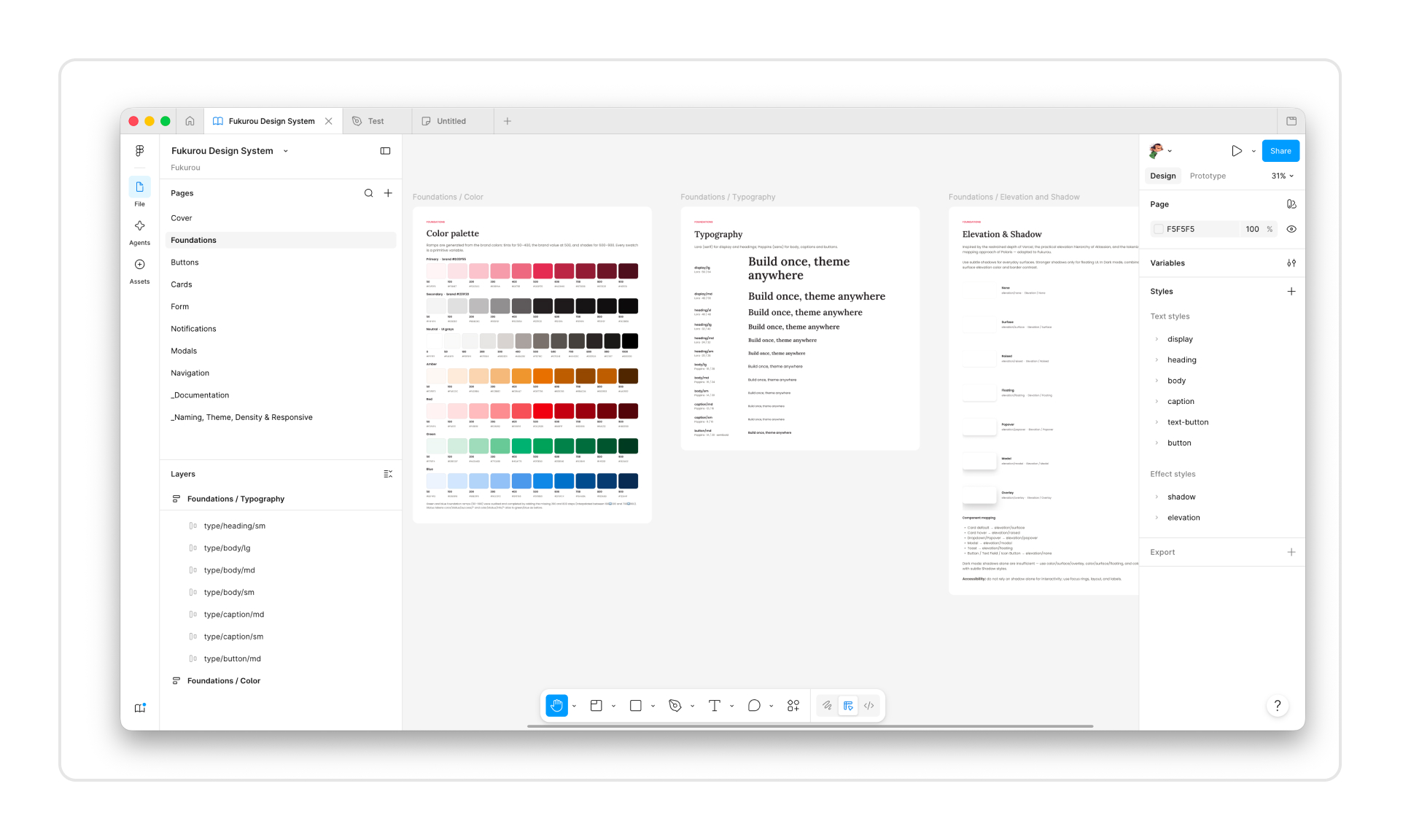
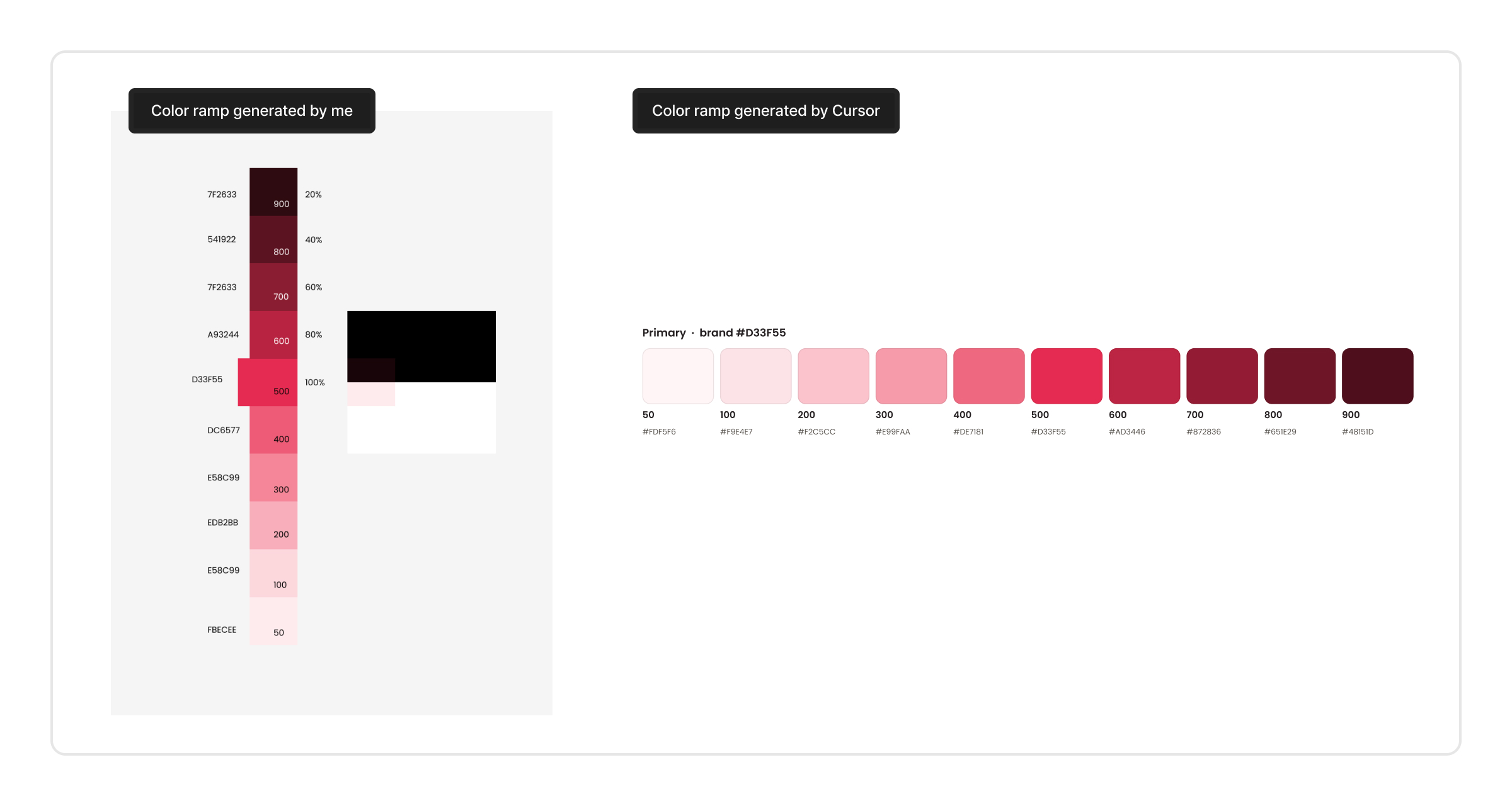
Speaking of being specific, even when I gave Cursor a clear direction — to generate the color ramp based on the brand color using increments of 20 — the result was not exactly what I expected. Cursor created a color ramp that looked reasonable at first glance, but the color values felt a bit mysterious and did not match the version I had in mind.
Building Components
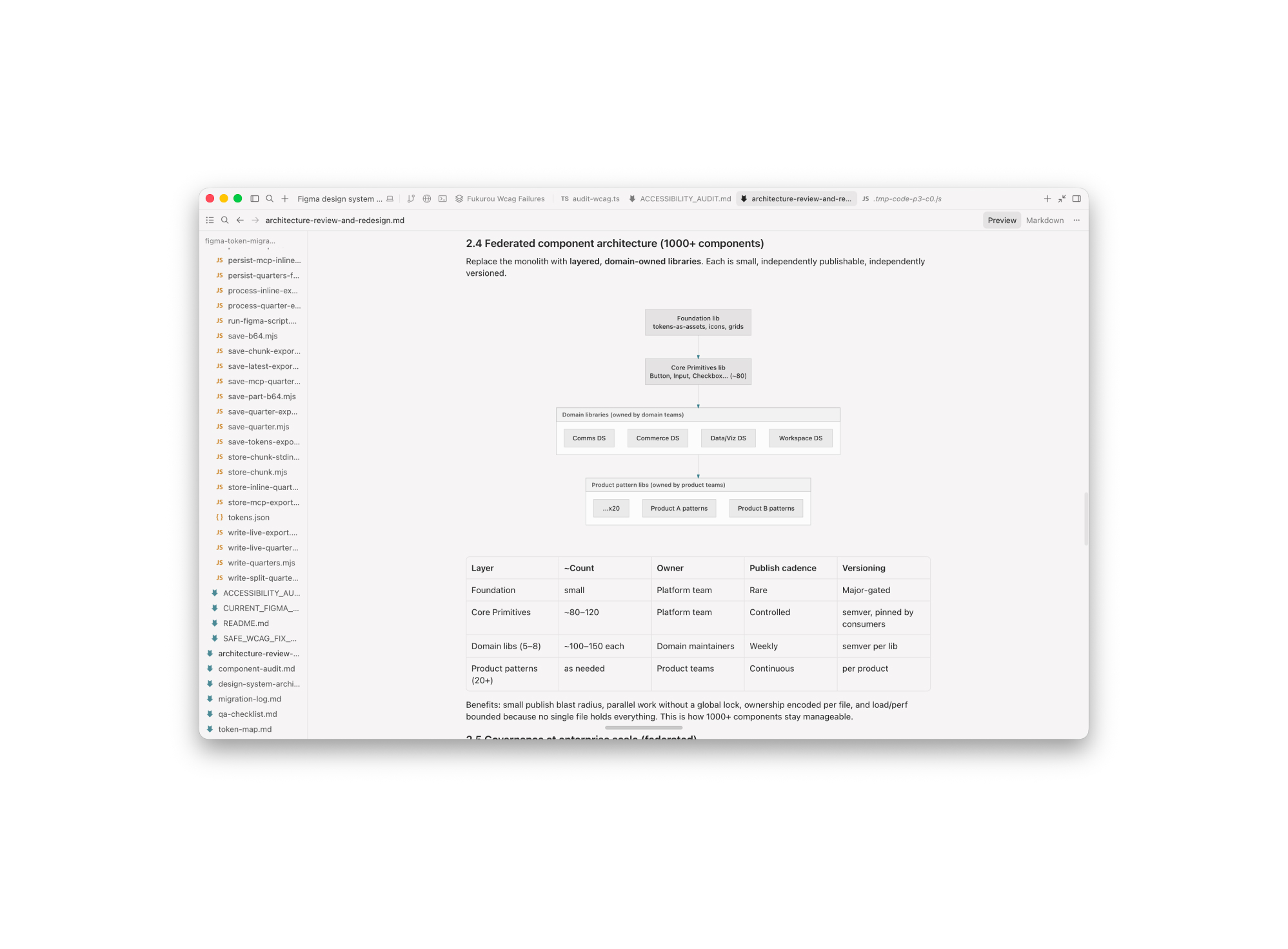
Once the foundation was in place, I asked Cursor to build the core components in the order defined by the prioritized build plan. The scope included creating the components, documenting their usage, running WCAG audits, and generating code-ready JSON files that could support implementation.
Cursor was also useful for keeping documentation close to the work. It documented component guidelines, usage patterns, version changes, accessibility audit results, and other notes in .md files. That made the output easier to maintain and potentially easier to import into Storybook or another design system management platform later.
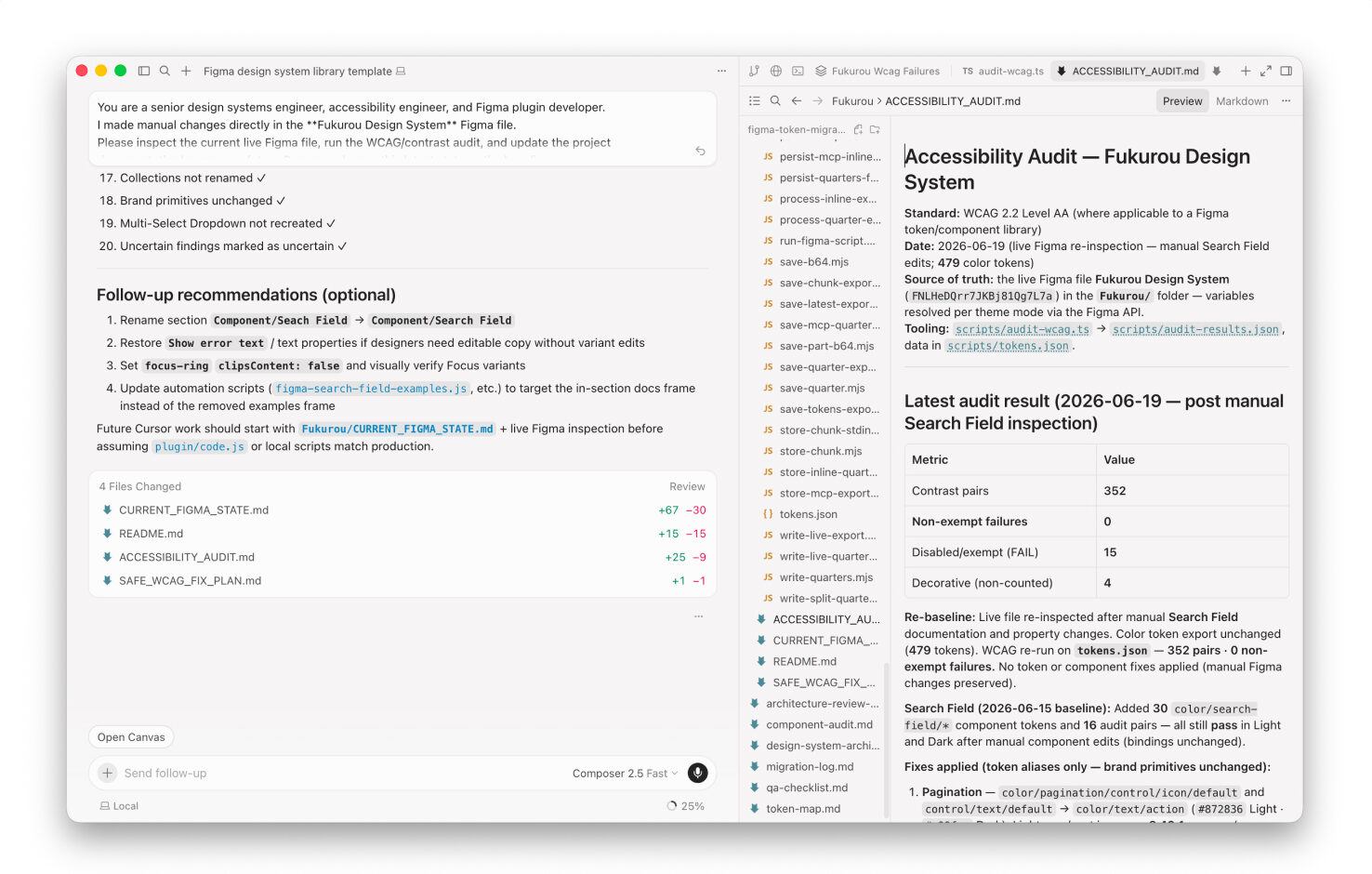
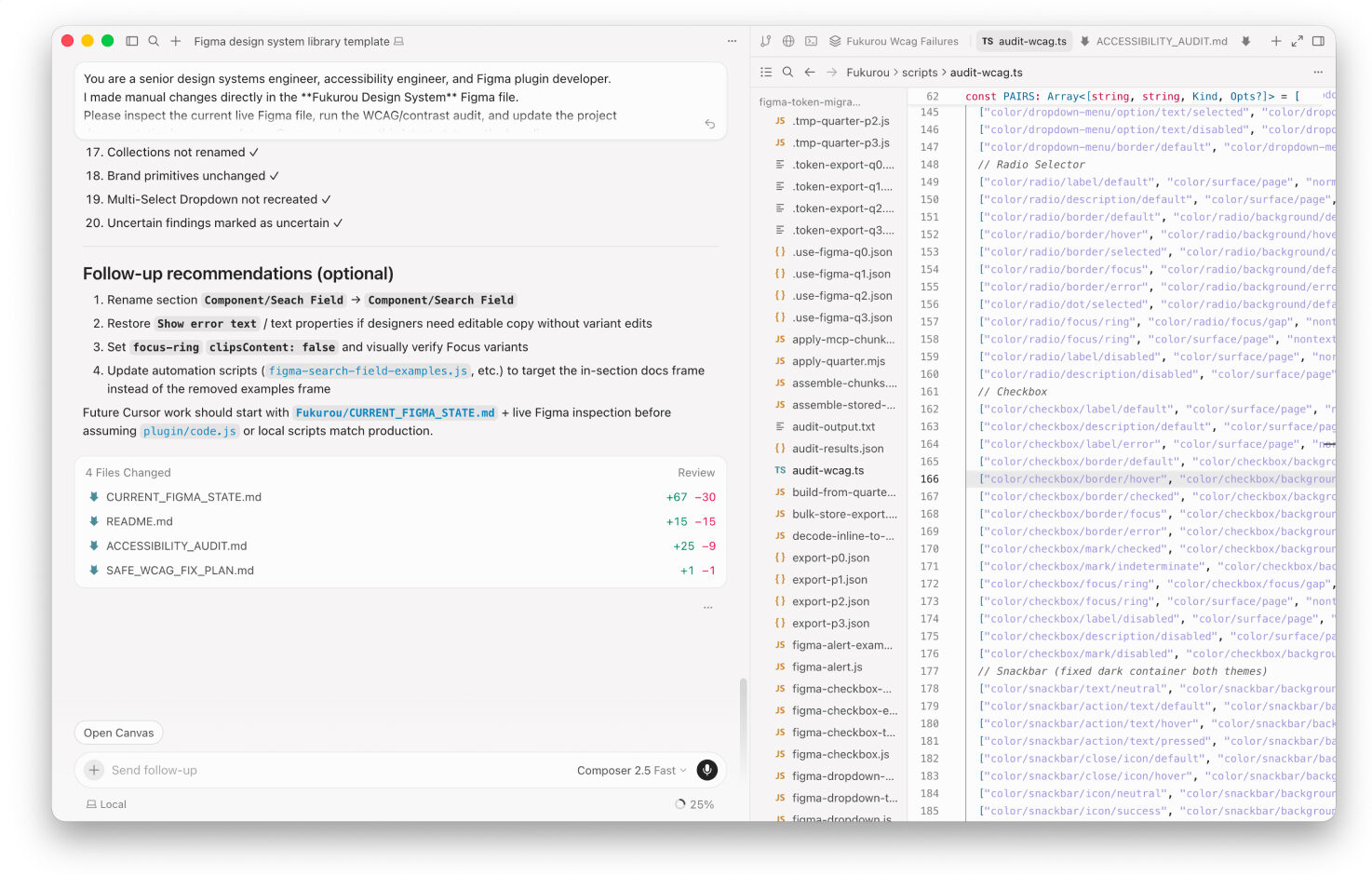
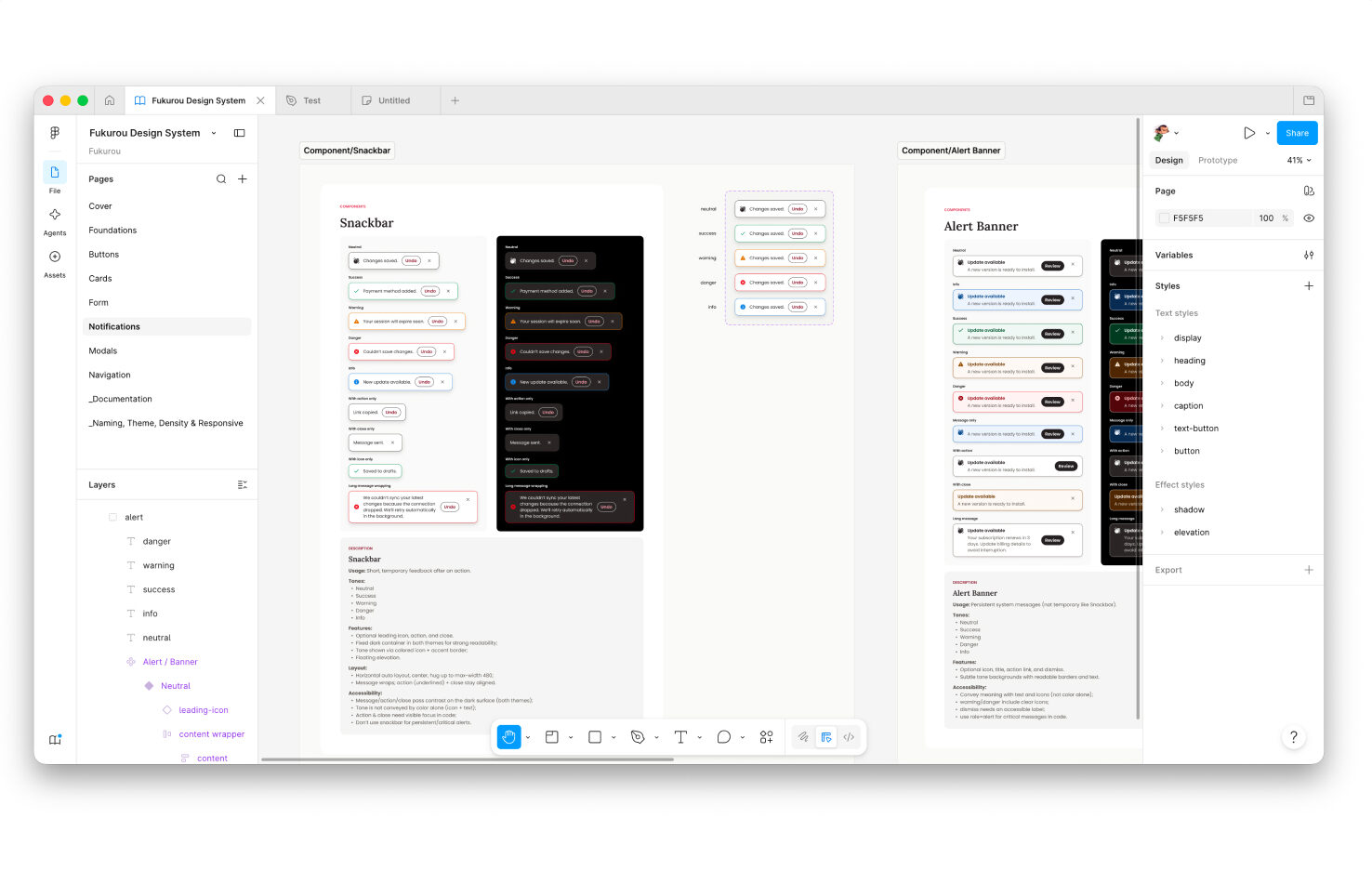
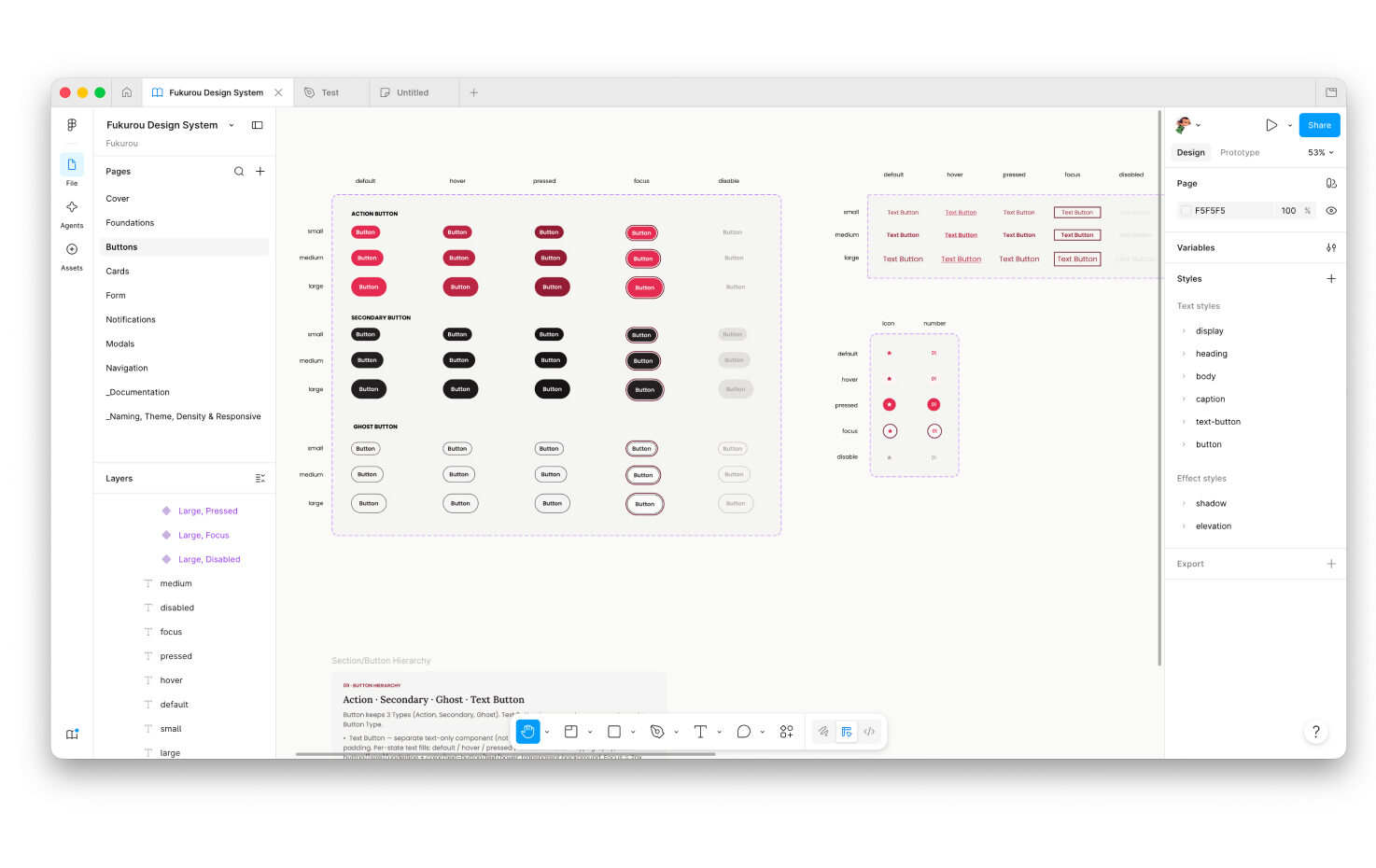
One area where Cursor was especially helpful was accessibility auditing. It produced a clear report, highlighted the issues that needed attention, suggested ways to debug and fix them, and documented each change as the system evolved.
Thoughts
What surprised me
- For an enterprise-level design system, this scope of work can normally take months: auditing the existing file, creating a build plan, designing Figma components, preparing code-ready components, and documenting usage for both designers and engineers. With AI in the workflow, I was able to move through the first priority batch in under four days.
- It helped check whether new components were using the existing token structure.
- It helped identify inconsistencies across states. It also helped me create a feedback loop where each change could be inspected, refined, and documented.
What to watch out for
- Cursor works best when the prompt is specific. Vague commands can produce output that looks complete but does not follow the system logic, so I had to give it clear direction and review the results before letting it continue.
- In my experience, Cursor’s output depends heavily on the model being used. On the Pro plan, stronger models like Opus 4.8 or Fable 5 produced better results for complex tasks such as audits, token logic, and multi-component updates. But they can run into limits quickly. When the workflow falls back to Composer 2.5, I usually need to review more carefully, make manual fixes on Figma, and then ask Cursor to catch up with the latest changes.
- As mentioned earlier, the way Cursor generated some of the hex values for the color ramp was still a bit of a mystery to me. That is why reviewing the output became a critical part of the workflow. AI can move fast, but quality still depends on careful review, validation, and manual adjustment when needed.
- That said, I learned not to give Cursor too much work at once. QA can become overwhelming when AI generates a large chunk of output in one pass. A better approach is to work in smaller batches, review each batch carefully, and only then move on to the next step.
- Because I am not a full-stack developer, I treated Cursor’s generated code as a strong starting point rather than a final implementation. In a real enterprise environment, this workflow would still require close partnership with engineering to review the code, validate the architecture, and make sure the final output is correct, maintainable, and production-ready.

Related Posts



Designing Product Icons: Best Practices for a Lasting Impression
As I recall back to the first few years…